---
title: "Back to the server with Rust, Axum, and htmx"
description: "(Insert meme about React devs rediscovering the magic of PHP and ASP)."
pubDate: 2023-07-11
heroImage: "/images/blog/rust-htmx-askama/htmx_meme.jpg"
tags: [rust]
---
I'm finally back from paternity leave and I had quite a blast messing around with a few Rust libraries during my time off in an attempt to build a website (web app?) going back to basics. I'm somewhat JS'd out as of late and was looking for some way to integrate [htmx](https://htmx.org/) with templates in a similar vein to Go's [html templates](https://pkg.go.dev/html/template/). I was pleasantly surprised at how easily I was able to duct tape [axum's](https://github.com/tokio-rs/axum/) static file serving leveraging [askama](https://github.com/djc/askama/) as a templating engine of sorts.
Coupled with htmx and [Tailwind](https://tailwindcss.com/), I was able to find a workflow for site building using the tools I wanted, with the best part being _entirely_ JS-free (on the surface, at least). I should preface this as **not** an advertisement for JS's demise, but simply an alternative approach to the development of Rust-backed web apps.
## The stack
To kick things off, let's run through the bits we'll utilize to build a relatively straightforward application that serves static HTML but with reactivity powered by htmx. Our sandbox will look something like:
- Rust (for obvious reasons)
- Axum for serving static assets and powering the backend API
- Askama for HTML templating - think shared layouts, scripts, CSS, etc.
- htmx for reactivity on the UI
- Tailwind, because my brain is too smooth now to do CSS myself
RAAHT-stack? THARA? Not sure, gonna need to workshop the acronym a bit.
## Getting started
Let's start by spinning up a new Rust binary:
```shell
$ cargo new --bin with-axum-htmx-askama && cd with-axum-htmx-askama
Created binary (application) `with-axum-htmx-askama` package
```
Next, let's bring in the stuff we'll need to start building,
```shell
$ cargo add askama # our templating engine
$ cargo add axum # our web/file server
$ cargo add tokio --features full # async runtime
# let's add tracing for sanity
$ cargo add tracing
$ cargo add tracing-subscriber --features env-filter
# finally, let's add tower to utilize the file serving capabilities
$ cargo add tower
$ cargo add tower-http --features fs
```
Okay, got our dependencies installed, now let's scaffold out `main.rs` with a basic router and tracing setup:
```rust
use tracing::info;
use tracing_subscriber::{layer::SubscriberExt, util::SubscriberInitExt};
#[tokio::main]
async fn main() {
tracing_subscriber::registry()
.with(
tracing_subscriber::EnvFilter::try_from_default_env()
.unwrap_or_else(|_| "with_axum_htmx_askama=debug".into()),
)
.with(tracing_subscriber::fmt::layer())
.init();
info!("hello, web server!");
}
```
And running a quick sanity check:
```shell
$ cargo run
# things compiling...
2023-06-13T06:21:03.461354Z INFO with_axum_htmx_askama: hello, web server!
```
Sweet, we're up and running with logging! Before we jump into our router, we should probably figure out _what_ exactly we'll be serving. For our templates, we'll tap into askama to help axum route endpoints to serve static HTML. Askama defaults to looking for templates in a `/templates` directory at the project root, let's add that now with a bit of markup:
#### templates/hello.html
```html
Howdy!
```
And back in `main.rs`, let's add an axum route to serve this file:
```rust
use anyhow::Context;
use askama::Template;
use axum::{
http::StatusCode,
response::{Html, IntoResponse, Response},
routing::get,
Router,
};
use tracing::info;
use tracing_subscriber::{layer::SubscriberExt, util::SubscriberInitExt};
#[tokio::main]
async fn main() -> anyhow::Result<()> {
tracing_subscriber::registry()
.with(
tracing_subscriber::EnvFilter::try_from_default_env()
.unwrap_or_else(|_| "with_axum_htmx_askama=debug".into()),
)
.with(tracing_subscriber::fmt::layer())
.init();
info!("initializing router...");
let router = Router::new().route("/", get(hello));
let port = 8000_u16;
let addr = std::net::SocketAddr::from(([0, 0, 0, 0], port));
info!("router initialized, now listening on port {}", port);
axum::Server::bind(&addr)
.serve(router.into_make_service())
.await
.context("error while starting server")?;
Ok(())
}
async fn hello() -> impl IntoResponse {
let template = HelloTemplate {};
HtmlTemplate(template)
}
#[derive(Template)]
#[template(path = "hello.html")]
struct HelloTemplate;
/// A wrapper type that we'll use to encapsulate HTML parsed by askama into valid HTML for axum to serve.
struct HtmlTemplate(T);
/// Allows us to convert Askama HTML templates into valid HTML for axum to serve in the response.
impl IntoResponse for HtmlTemplate
where
T: Template,
{
fn into_response(self) -> Response {
// Attempt to render the template with askama
match self.0.render() {
// If we're able to successfully parse and aggregate the template, serve it
Ok(html) => Html(html).into_response(),
// If we're not, return an error or some bit of fallback HTML
Err(err) => (
StatusCode::INTERNAL_SERVER_ERROR,
format!("Failed to render template. Error: {}", err),
)
.into_response(),
}
}
}
```
Okay, so we fleshed out our router quite a bit and added a few types to help us serve
the HTML askama will stitch together for us (more on that in a bit).
We have a simple base route that serves the `hello.html` file we have in our `templates/` directory, though askama is also able to pass render-able data to these HTML files in a template-like fashion. Luckily for us, askama provides the `#[template(path = "path/to/html")]` macro, assuming your HTML files are in the `templates/` directory. This is also configurable, but the defaults will do for now. Running the server locally:
```shell
$ cargo run
# stuff compiling...
2023-06-13T06:47:23.018937Z INFO with_axum_htmx_askama: initializing router...
2023-06-13T06:47:23.019361Z INFO with_axum_htmx_askama: router initialized, now listening on port 8000
```
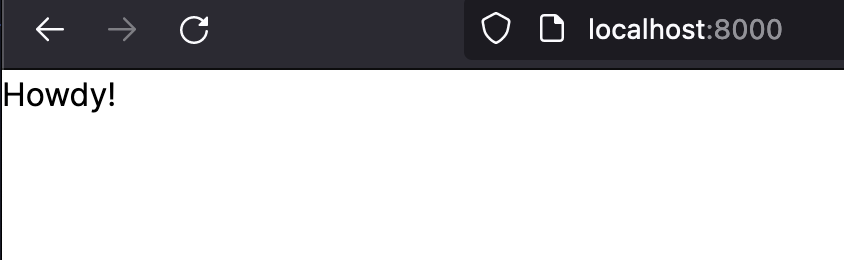
We have some basic logs that reassure successful startup, and if we navigate to `localhost:8000` in our favorite
browser:

We've got ourselves a landing page!
## Integrating Tailwind
Now, this isn't the most _exciting_ landing page, so let's spruce this up a bit to make it look like it's not from 1996. I'm gonna be using [Tailwind](https://tailwindcss.com/) mostly because I'm a CSS sellout and love really, really, really long class names on my elements.
Tailwind helpfully provides a plethora of integration guides for any number of tech stacks. Unfortunately, Rust-based static file serving with axum isn't on the list. The good news, however, is that we can rely on the most basic of Tailwind strategies to bring in some sweet styles.
If you're not familiar with Tailwind, take a look at the docs and the philosophy behind its design system. There are some pretty neat optimizations we'll tap into, and one of the reasons I love Tailwind is for the [utility tree-shaking/minification](https://tailwindcss.com/docs/optimizing-for-production) of CSS that it'll do to ensure our bundled styles are as small as possible. No one needs 70 MB of CSS shipped to their browser (if you're reading this, Rob, you know what you did).
We're going to rely on a few npm packages, so we'll need to spin up a simple `package.json` file to help us bring in Tailwind and eventually Prettier to make things look nice on our templates. Using pnpm:
```shell
$ pnpm init
Wrote to ~/with-axum-htmx-askama/package.json
{
"name": "with-axum-htmx-askama",
"version": "1.0.0",
"description": "",
"main": "index.js",
"scripts": {
"test": "echo \"Error: no test specified\" && exit 1"
},
"keywords": [],
"author": "",
"license": "ISC"
}
```
With our package manifest in place, let's add a few things to it. I'm using pnpm, though npm and yarn will suffice:
```shell
pnpm add -D tailwindcss prettier prettier-plugin-tailwindcss
```
And let's clean up `package.json` to remove the things we won't need:
```json
{
"name": "with-axum-htmx-askama",
"version": "1.0.0",
"license": "ISC",
"devDependencies": {
"prettier": "^2.8.8",
"prettier-plugin-tailwindcss": "^0.3.0",
"tailwindcss": "^3.3.2"
}
}
```
I'm using Prettier to keep things nicely formatted, so I'll add a quick script to keep our templates tidy:
```json
{
"name": "with-axum-htmx-askama",
"version": "1.0.0",
"license": "ISC",
"scripts": {
"format": "prettier --write --ignore-unknown ."
},
"devDependencies": {
"prettier": "^2.8.8",
"prettier-plugin-tailwindcss": "^0.3.0",
"tailwindcss": "^3.3.2"
}
}
```
Now we can format from the terminal to our heart's content:
```shell
$ pnpm format
package.json 340ms
pnpm-lock.yaml 159ms
templates/hello.html 371ms
```
Let's spice up our template now. Back in `hello.html`, let's flesh this page out a bit more to be more of a fully functional HTML file we'd expect to serve to the browser, including assets:
```html
Howdy!
```
I've added two `link`s to CSS files, one for the Inter font... because why not.

The other `link` is to a CSS file that doesn't exist (yet). This CSS file will contain the compiled output Tailwind's CLI spits out for us after scanning the HTML files in our `/templates` directory and determining which utility classes are not needed helping us reduce the bundled CSS file size that will ship to our users' browsers. Pretty neat, huh?
Now as I mentioned, this will be a file that is _generated_ and not necessarily included by default. First, we need to add a CSS file Tailwind will use to generate the utilities our HTML templates will use. Let's create a `styles/tailwind.css` file:
#### styles/tailwind.css
```css
@tailwind base;
@tailwind components;
@tailwind utilities;
```
We'll use the CLI to read this file as input, scan which utilities are being used by our HTML, and output the optimized stylesheet to be served. Let's run our first pass:
```shell
$ pnpm dlx tailwindcss -i styles/tailwind.css -o assets/main.css --watch
Rebuilding...
warn - No utility classes were detected in your source files. If this is unexpected, double-check the `content` option in your Tailwind CSS configuration. warn - https://tailwindcss.com/docs/content-configuration
Done in 74ms.
```
Nice! Though not very exciting, as Tailwind didn't detect any utility classes to purge as we don't have a configuration file for it to read pointing to the markup. Let's add one:
```shell
$ pnpm dlx tailwindcss init
Created Tailwind CSS config file: tailwind.config.js
```
And let's adjust the `tailwind.config.js` file that was generated for us:
```js
const { fontFamily } = require('tailwindcss/defaultTheme');
/** @type {import('tailwindcss').Config} */
module.exports = {
content: ['./templates/*.html'],
theme: {
extend: {
fontFamily: {
sans: ['Inter var', ...fontFamily.sans],
},
},
},
};
```
I'm also going to rename the extension to `.cjs` to make eslint happy. If you're unfamiliar with Tailwind, essentially this is just a configuration file telling Tailwind where to look for utility classes for treeshaking ones we're not using. We're also overriding the default sans font with the Inter font so we can look like a legit Series B startup on our landing page.
Now if we run the Tailwind CLI again, we'll get the same message. If we spin up our server, nothing has changed either. One last step: we need to tell axum to serve our `assets/` directory so our compiled Tailwind CSS file is available for our template to use.
Back in `main.rs`, let's a `tower` service route to serve everything under the `assets/` folder:
```rust
use anyhow::Context;
use askama::Template;
use axum::{
http::StatusCode,
response::{Html, IntoResponse, Response},
routing::get,
Router,
};
use tower_http::services::ServeDir;
use tracing::info;
use tracing_subscriber::{layer::SubscriberExt, util::SubscriberInitExt};
#[tokio::main]
async fn main() -> anyhow::Result<()> {
// Setup stuff...
// We could also read our port in from the environment as well
let assets_path = std::env::current_dir().unwrap();
let port = 8000_u16;
let addr = std::net::SocketAddr::from(([0, 0, 0, 0], port));
let router = Router::new().route("/", get(hello)).nest_service(
"/assets",
ServeDir::new(format!("{}/assets", assets_path.to_str().unwrap())),
);
// Other stuff...
}
// Other stuff...
```
The key here is the `assets_path` and the chain call to `.nest_service()`, telling axum to serve an `/assets` route with all the files underneath that directory locally. Now if we start our server, we
should see our `Howdy!` text looks a bit different:
We've got Inter font! Let's spice this up even more with some colored text. In our `hello.html` template, let's add a text color class:
```html
Howdy!
```
I've been running my processes in the back, both the Tailwind CLI and our axum server with the help of [cargo-watch](https://crates.io/crates/cargo-watch), so any changes I make to our Rust code or HTML templates will automatically be detected. Refreshing the page, we should see green text. Sweet!
# Extending templates
Our current template generation is missing one key piece in template inheritance. If we were to add additional axum routes that served HTML, we would need to include `` tags for each file. Not a great developer experience, as we want to have templates extend a base markup file that includes all of our common head metadata like links, tags, etc.
Luckily, askama [has us covered](https://djc.github.io/askama/template_syntax.html#template-inheritance) with what we need. Using template inheritance, we can define base template layouts that our individual route templates will extend. To make life easier so we can avoid having to write the same boilerplate HTML in each template we'll serve, let's create a `base.html` file:
### templates/base.html
```html
{% block title %}{{ title }}{% endblock %}
{% block head %}{% endblock %}
{% block content %}{% endblock %}
```
With our base template in place, let's clean up our `hello.html` file a bit:
### templates/hello.html
```html
{% extends "base.html" %}
{% block title %}Hello!{% endblock %}
{% block content %}
Howdy!
{% endblock %}
```
Note the ignore statement for prettier to skip formatting this file for now - default prettier doesn't do a great job at formatting templated HTML files but I'm sure there's a plugin out there to include to fix this that I'm simply too lazy to search for.
Since we've kept our server running and have Tailwind compiling output assets in watch mode for us, we should be able to navigate back to `localhost:8000` and notice there's no change to our page, still displaying the green "Howdy!" text. This is exactly what we expect, though we now have base templates that each of our pages can include!
To prove that we've now got a nice extendable page model, let's add another page with a link on our home page that routes to this new page that I'll cleverly name `/another-page` with its even more cleverly associated template `another-page.html`:
### templates/another-page.html
```html
{% extends "base.html" %}
{% block title %}Another page!{% endblock %}
{% block content %}
Another page
{% endblock %}
```
Let's add an axum route to serve this template with users hit the `/another-page` frontend route:
### main.rs
```rust
// Imports and such...
#[tokio::main]
async fn main() -> anyhow::Result<()> {
// Other stuff...
let router = Router::new()
.route("/", get(hello))
.route("/another-page", get(another_page))
.nest_service(
"/assets",
ServeDir::new(format!("{}/assets", assets_path.to_str().unwrap())),
);
// More stuff...
}
// Other templates...
async fn another_page() -> impl IntoResponse {
let template = AnotherPageTemplate {};
HtmlTemplate(template)
}
#[derive(Template)]
#[template(path = "another-page.html")]
struct AnotherPageTemplate;
```
If we manually route to this page, we should it in the browser:
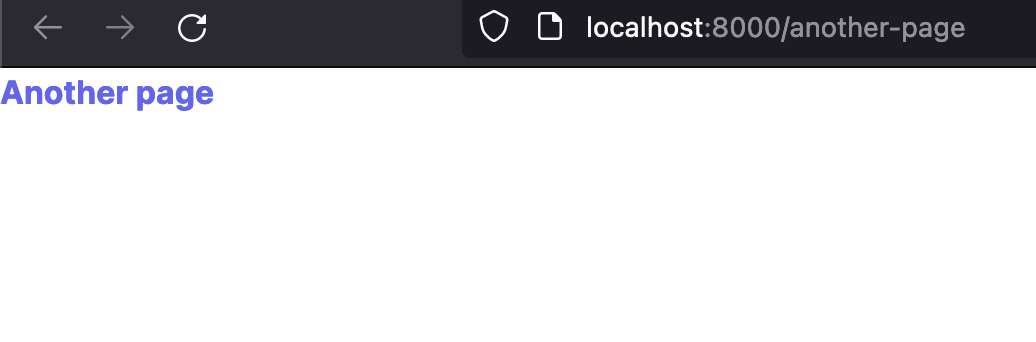
As another sanity check, take a look at the CSS Tailwind is outputting in our `assets/` directory, namely taking a look at the tail end (no pun intended) of the file:
### assets/main.css
```css
/ / More classes... .font-bold {
font-weight: 700;
}
.text-green-500 {
--tw-text-opacity: 1;
color: rgb(34 197 94 / var(--tw-text-opacity));
}
.text-indigo-500 {
--tw-text-opacity: 1;
color: rgb(99 102 241 / var(--tw-text-opacity));
}
```
Tailwind is _only_ including the utilities it sees in our template files, namely the colors we've included and the bold font we've slapped on the text of our `/another-page` route. Pretty neat, huh?
Let's spice our templates up with some routes. In our `hello.html` let's add a link:
```html
{% extends "base.html" %}
{% block title %}Hello!{% endblock %}
{% block content %}
{% endblock %}
```
Nothing special going on here, just spicing up the look of our link and adding some padding between the two elements. Refreshing the home page, we should see a new link pop up:
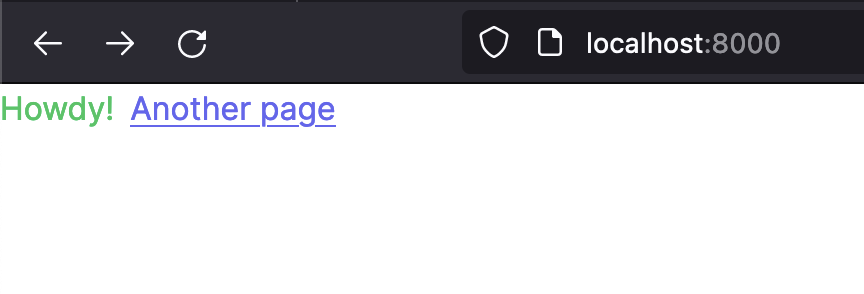
and clicking the link, we route to our newly added `/another-page` page! More importantly, take note of how we're only including the relevant markup for each page. The power of templates compels you!
## Bringing in the functionality
Okay, so we have a web server serving static HTML, good-looking assets with the help of Tailwind, and an extendable page model... let's fit the last piece of the web dev DX puzzle by bringing interactive functionality to our pages with the help of htmx. With htmx, we can do all the JavaScript-y things we would normally see as first-class functionality in a modern frontend framework, but in the comfort of our HTML. No need to submit form data to our backend and reload the page between transitions, htmx will do the work for us!
Since htmx brings modern UI goodness to standard hypertext, we don't need to worry about writing form handlers, fetching data via AJAX, etc. While htmx brings a lot to the plate, let's start small and simply grab some data from an API and replace some elements on the screen with it.
Even better, htmx is small in size and easily pluggable into our current setup. Let's bring it in as a `
{% block head %}{% endblock %}